MCP token (optional)
Mint long and short bearer keys so an agent can drive your apps - copy-paste curl.
This step is optional: it lets an external agent (one you run yourself, e.g. in your
own editor or terminal) act as you on mcp.tini.works - listing, creating, updating,
patching, and deleting your app records - without ever handling your password.
Mint a token in the browser
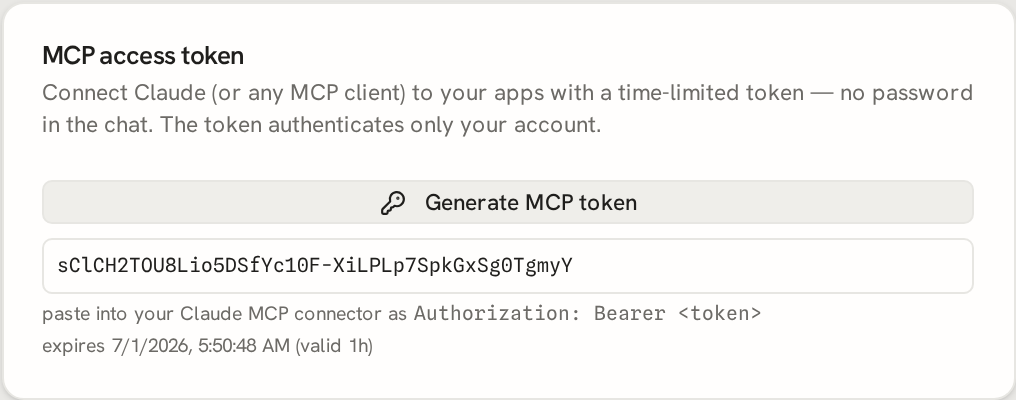
While signed in at /app/, open the token panel and click Create token. The plaintext long key is shown once - tinkaria stores only its hash, so copy it now. The long key is refresh-style material for your task. Keep the password and browser cookie human-only, then mint short work keys for agents when you can.
Copy-paste (curl)
# Mint a long key (needs your signed-in session cookie from /login).
curl -s -X POST https://t.tini.works/token -b jar \
  -H 'content-type: application/json' \
  -d '{"ttlSeconds":86400}'
# -> {"token":"<base64url string>","issuedAt":"...","expiresAt":"...","ttlSeconds":86400}

# List active keys. The plaintext token never comes back.
curl -s https://t.tini.works/token -b jar
# -> {"tokens":[{"id":"<token id>","kind":"long","parent_key_id":null,"createdAt":"...","expiresAt":"...","ttlSeconds":86400}]}

# Mint a short work key from the long key. It defaults to 30 minutes and is capped at 30 minutes.
curl -s -X POST https://t.tini.works/token/short \
  -H 'authorization: Bearer <long-key>' \
  -H 'content-type: application/json' \
  -d '{"ttlSeconds":900,"scope":{"uses":["mcp","patch_app"],"app_ids":["<app-id>"]}}'
# -> {"token":"<short-key>","issuedAt":"...","expiresAt":"...","ttlSeconds":900}

# Use it as a Bearer credential against the MCP surface.
curl -s https://mcp.tini.works/mcp \
  -H 'authorization: Bearer <token>' \
  -H 'content-type: application/json' \
  -d '{"jsonrpc":"2.0","id":1,"method":"tools/call","params":{"name":"list_apps","arguments":{}}}'
Available tools
mcp.tini.works exposes your apps as MCP tools once authenticated by the bearer key
above, or by the MCP login tool binding your Mcp-Session-Id. The browser session
cookie does not authenticate MCP requests. The server advertises seven tools: login,
list_apps, get_app, create_app, update_app, delete_app, and patch_app. Point any
MCP-capable client or agent at https://mcp.tini.works/mcp with the bearer token and it
can manage your apps exactly as if you were doing it in the browser - never with your
password.
Need a token-efficient artifact path after minting a bearer key? Go to Artifacts. That section covers content publish, artifact patch, realtime await/input/render, and the short-key scopes those REST edges need.
The token panel also lists your currently active tokens (each row shows the token id
and its created/expiry times - never the plaintext, which is only ever shown once at
mint). Behind it, curl -s https://t.tini.works/token -b jar returns that same
owner-scoped metadata list.
Revoke a key early with either curl -s -X DELETE https://t.tini.works/token -b jar -d '{"token":"<base64url string>"}' or curl -s -X DELETE https://t.tini.works/token -b jar -d '{"id":"<token id>"}' if it leaks or you're done with it.