Your apps
The app list, the empty state, and creating an app over NATS.
The app list
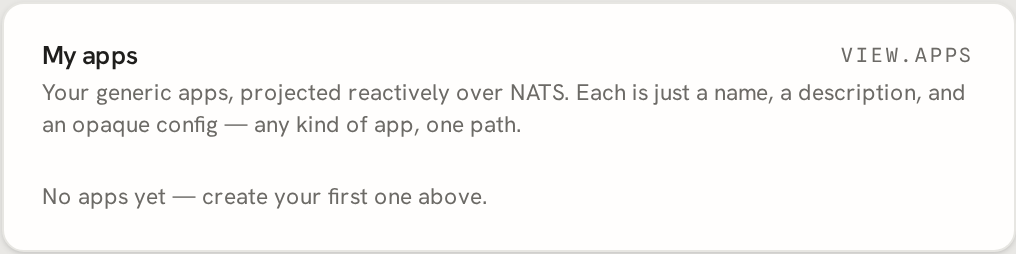
Once you're signed in at /app/, the homepage shows your apps - a plain list,
empty the first time you sign in. There is no server-side "list apps" HTTP endpoint: the
page's NATS connection (from the /apps/config bootstrap) subscribes to your session's
view and renders whatever state comes back over the wire.
Creating an app
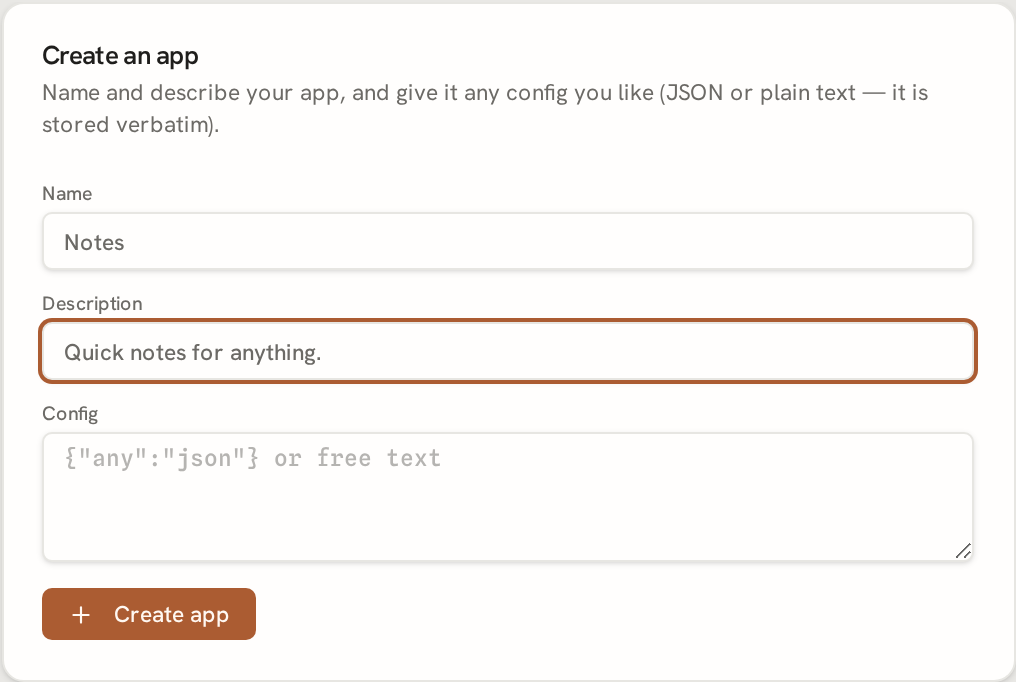
Every mutation - create, update, delete - is a NATS publish on your own session's
input subtree, never an HTTP POST. The homepage's "create app" form does exactly this:
it publishes an input.apps.create message with your app's opaque config, and the view
reacts to show it in the list the moment the reaction lands.
You never construct the NATS message by hand for this flow - the browser's own session
credential (from /apps/config) already has exactly the permissions it needs, confined
to your session subtree only.
If you'd rather drive this from a script or an agent instead of the browser, see the MCP
token section - the same create/list/read/update/delete/patch calls are
exposed as MCP tools (create_app, list_apps, get_app, update_app, delete_app,
patch_app) once you have a bearer token. To create and patch live content artifacts, see
Artifacts.
Patching an app config
Use patch_app when you want to make a small edit to an existing app's opaque config
without re-sending the whole config through update_app. First call get_app, copy the
returned pre content hash, and choose a find anchor from config_verbatim. The patch
applies only when pre still matches the whole current config and find occurs exactly
once; otherwise it is rejected without a fuzzy or partial edit. file is reserved in v1,
so leave it unset.
Clients that cannot speak MCP can use the same bearer token with the REST patch edge:
curl -s -X POST "https://t.tini.works/apps/<app-id>/patch" \
  -H "authorization: Bearer <token>" \
  -H "content-type: application/json" \
  -d '{"pre":"<hash-from-get_app>","find":"\"marker\":\"v1\"","replace":"\"marker\":\"v2\""}'
The REST body is flat {pre, find, replace, file?}. Do not include app in that body;
the app id comes from /apps/<app-id>/patch.
Your account inventory
The homepage is also where you see and manage everything you own on the platform. Every list and action here is owner-scoped to you: your identity is the authenticated principal from your signed-in session, never a field you send, so you only ever see and touch your own records.
- Apps. Create, edit, and delete your apps (the app list above); the same records are reachable over MCP.
- MCP access tokens. Generate a time-limited bearer token (shown once - only its hash is stored), see your list of currently active tokens (each row shows the token id plus its created/expiry times - never the plaintext), and revoke a token you no longer want.
- Artifacts. Upload a dist tarball or worker artifact into a namespace you own, and list the artifacts you've already uploaded. Uploads are content-hash addressed - a commit returns the artifact's sha256, which your descriptor then references.
- Vanity slugs & domains. Claim or release a platform slug for one of your apps in a namespace you own, and list the slugs and custom domains currently bound to you.
- Password. Change your account password from the same UI; the session refreshes seamlessly so you stay signed in.
None of these open an HTTP data API: the browser drives them either over a cookie-authenticated thin edge (tokens, password) or over a short-lived, owner-confined NATS credential your session vends on demand (slugs, artifacts), the same grant model as every other capability on the platform.