Sign up & log in
Create your account and log in - copy-paste curl for register, login, and the config bootstrap.
In the browser
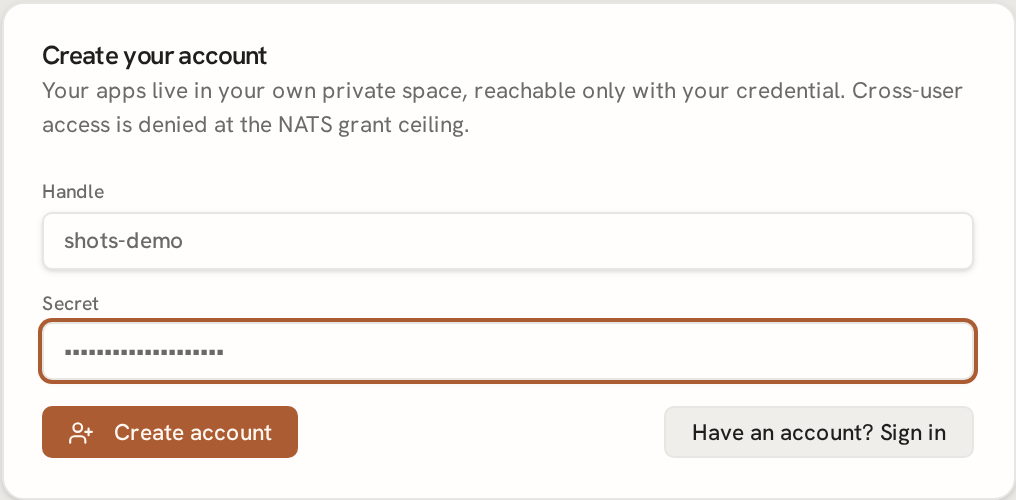
Go to t.tini.works/app/. Click Create your account, pick a handle and a
secret, and submit. tinkaria registers the account, then logs you in automatically: the
homepage sets a signed tinka_home cookie and shows your (empty) app list.
That cookie is the ONLY thing your browser needs going forward - /apps/config uses it
to (re-)mint your NATS session credential every time the page loads.
Copy-paste (curl)
The same three calls the browser makes, so you can drive it from a script or verify the
API directly. -c jar saves the session cookie /login sets; later calls read it back
with -b jar.
# 1. Register a handle + secret.
curl -s -X POST https://t.tini.works/register \
  -H 'content-type: application/json' \
  -d '{"handle":"you","secret":"a-strong-secret"}'
# -> {"ok":true}

# 2. Log in - saves the signed session cookie to jar.
curl -s -X POST https://t.tini.works/login -c jar \
  -H 'content-type: application/json' \
  -d '{"handle":"you","secret":"a-strong-secret"}'
# -> {"wsUrl":"wss://t.tini.works/nats","jwt":"ey...","seed":"SU...",
#     "inboxPrefix":"_INBOX...","viewWildcard":"tenant.home.session.you.view.>",
#     "snapshotSubject":"tenant.home.session.you.snapshot",
#     "connectSubject":"tenant.home.session.you.connect",
#     "inputBase":"tenant.home.session.you.input","region":"apps",
#     "handle":"you","expiresAt":...,"mustChange":false}

# 3. Re-mint a fresh session credential using the cookie (what the page does on load).
curl -s https://t.tini.works/apps/config -b jar
# -> the same bootstrap shape as /login, freshly minted
The jwt + seed pair IS your NATS credential: it dials wsUrl
directly and can reach only your own session subtree - not any other tenant's.